🖥️CLI Tools
Command-line interfaces for Polymarket trading • 3 projects found
CLI Tools for Polymarket are terminal-based applications that give traders and developers programmatic or text-driven interfaces to interact with prediction market data and trading functions. Unlike graphical desktop apps or web platforms, CLI Tools typically appeal to quantitatively oriented users who prefer keyboard-driven workflows, scripting, and the ability to pipe data into other tools or automated systems. Within the broader category of Polymarket Trading Terminals, CLI Tools tend to emphasize data depth — offering features like SQL-based analytics, proprietary scoring systems, and multi-market data aggregation across platforms such as Polymarket and Kalshi. They are commonly used by traders who want to run custom queries, build automated strategies, or analyze market edges without relying on a point-and-click interface. Some include AI-assisted features for surfacing insights, while others focus on raw data access and analytics performance. The range spans from beginner-accessible terminals to advanced analytical environments.
TREMOR
ActiveComprehensive data terminal for Polymarket and Kalshi prediction markets featuring SQL analytics
future fun
ActiveAION-powered prediction market terminal featuring the Scouter analytics tool with proprietary Edge Score rankings for Polymarket traders.
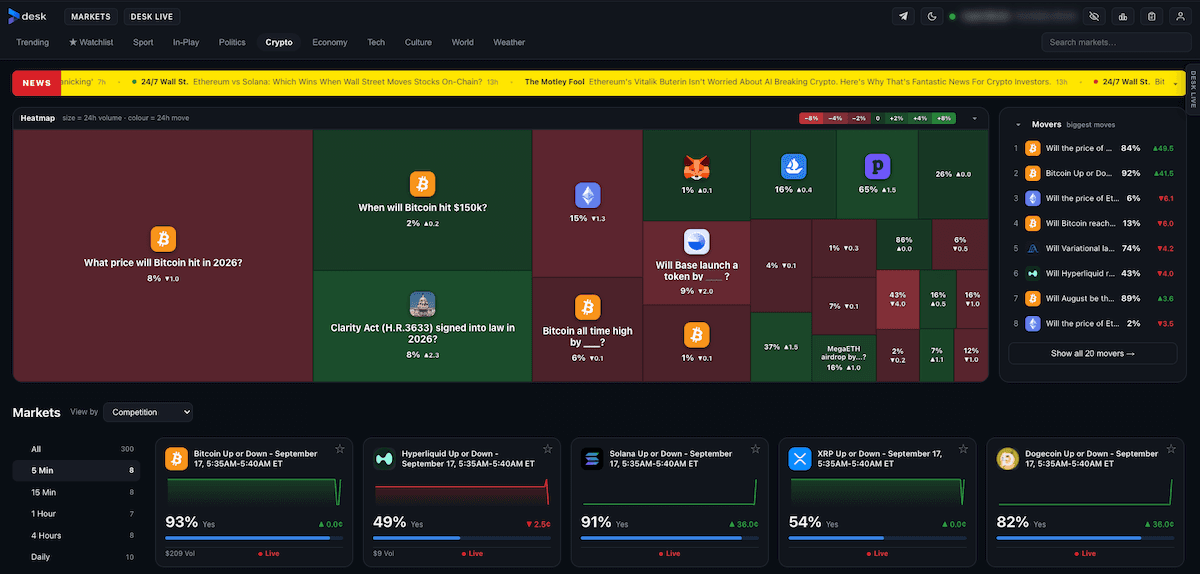
Desk
ActiveThe professional trading terminal for Polymarket — a price ladder, live charts, market depth, one-click positions, exits and automation. Free and no subscription required.
How to Choose a CLI Tools Tool
- •Check whether the tool supports real-time data or relies on delayed snapshots, since latency can meaningfully affect trading decisions.
- •Evaluate whether the analytics features — such as SQL querying or scoring models — match your technical skill level and workflow.
- •Confirm the pricing model upfront, as some CLI tools are free with no subscription while others may require payment for full feature access.
- •Consider whether the tool covers only Polymarket or also aggregates data from other prediction markets, depending on how broadly you trade.
- •Assess whether the tool is open source or closed source, which affects your ability to audit its logic, extend it, or self-host it.
Frequently Asked Questions
Do I need programming experience to use a CLI tool for Polymarket?
It depends on the specific tool. Some CLI tools are designed to be accessible to non-programmers through guided menus and pre-built analytics, while others assume familiarity with command-line environments or query languages like SQL. Review the documentation before committing.
Are CLI tools for Polymarket free to use?
Pricing varies by tool. Some are completely free with no subscription required, while others may offer a free tier alongside paid features. Always confirm the pricing model on the tool's official page before use.
Can CLI tools connect to markets other than Polymarket?
Some CLI tools in this category support multiple prediction market platforms, such as Kalshi, in addition to Polymarket. If cross-platform trading or data comparison is important to you, verify multi-market support before choosing a tool.
How do CLI tools differ from browser-based Polymarket interfaces?
CLI tools operate outside the browser, typically offering deeper data access, scripting capabilities, and analytics features not available in standard web interfaces. They are better suited for traders who want custom queries, automated workflows, or integration with other data pipelines.
What kind of analytics can I expect from a Polymarket CLI tool?
Analytics capabilities range from SQL-based market data querying and leaderboard tracking to proprietary edge scoring systems designed to highlight favorable trading opportunities. The depth of analytics varies significantly between tools, so evaluate based on your specific research needs.
Are these CLI tools safe to use with my Polymarket account?
Security considerations include whether the tool requires access to your wallet or private keys and whether it is open source so the code can be independently reviewed. Use only tools from reputable sources and avoid sharing sensitive credentials with any third-party application unless you fully trust and understand its security model.